
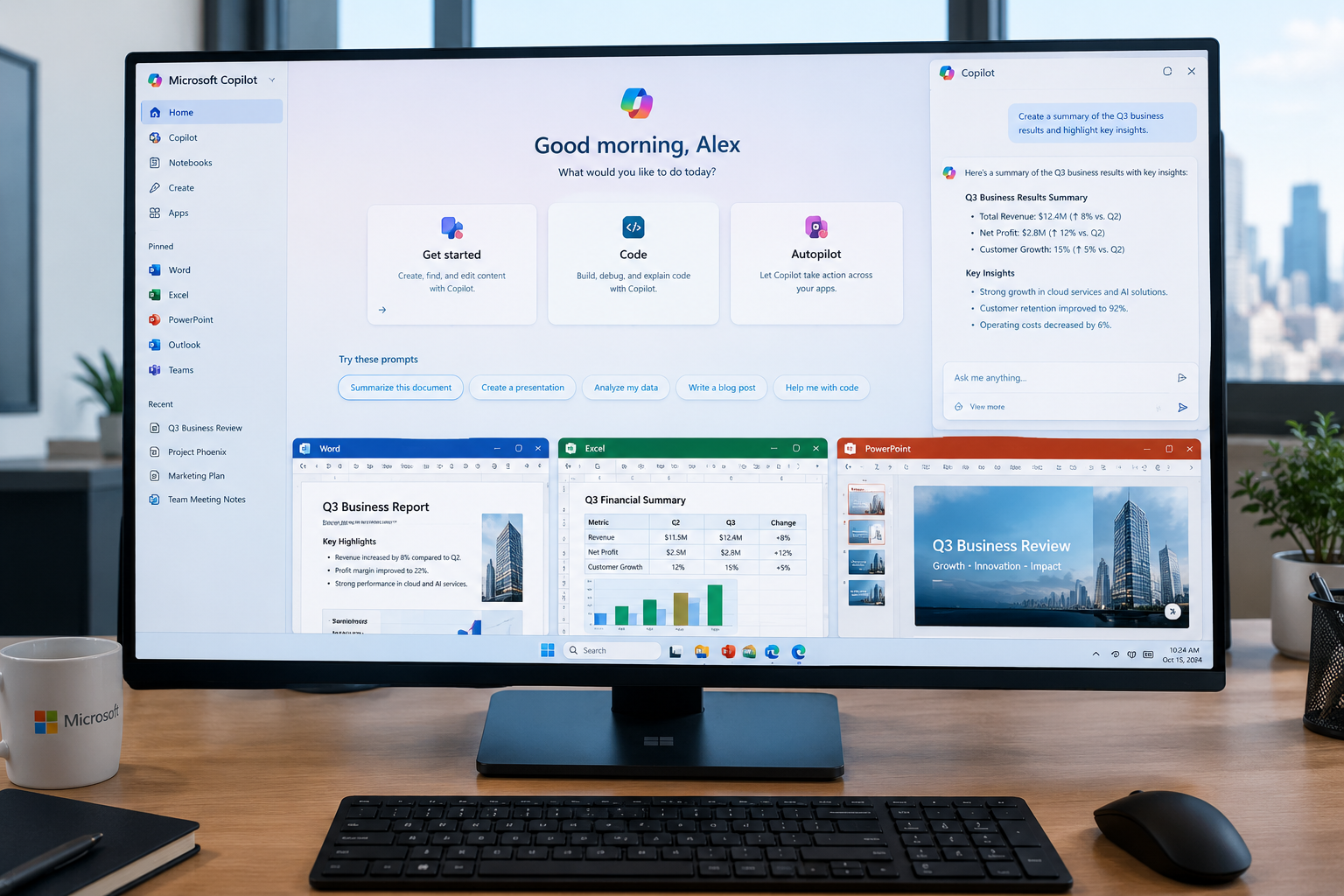
Microsoft is giving Copilot a major software update that changes how users can interact with AI at work.
Instead of focusing only on asking questions and generating answers, the new Microsoft Copilot brings together three different experiences called Home, Code and Autopilot.
The announcement, made by Microsoft on September 25, 2026, positions Copilot as a central workspace for asking questions, delegating tasks, creating applications and automating work. Microsoft is also bringing Word, Excel and PowerPoint directly into the Copilot experience.
This is an important development for the Apps & Software category because it shows how traditional productivity software is changing.
Microsoft is no longer treating AI as a separate feature sitting beside Office applications. Instead, the company is trying to make Copilot a place where users can move between conversations, documents, applications, automation and AI agents.
So what exactly is new in Microsoft Copilot 2026?
What Is Microsoft Copilot 2026?
Microsoft Copilot is Microsoft’s AI-powered software platform for helping users with information, documents, communication, productivity and other work.
The September 2026 update expands that role.
Microsoft says the new Copilot app brings together:
- Home
- Code
- Autopilot
- Chat
- Cowork
- Word
- Excel
- PowerPoint
- Plugins
- AI-powered automation
The idea is to give users one place where they can ask a question, delegate a complex task, build a small application or let an AI agent continue working on an ongoing objective.
Microsoft is rolling these capabilities out gradually rather than making every feature immediately available to everyone.
Home and Code are scheduled to begin rolling out through Microsoft’s Frontier program, while Autopilot is expanding into private preview at the end of September 2026.
Microsoft Copilot Home: A New Starting Point
The first major change is Home.
Microsoft describes Home as a central starting point where Chat and Cowork come together.
Instead of opening different experiences depending on the task, users can start from Home and decide what they want to accomplish.
Home can show recent activity, provide suggestions and help users continue unfinished work.
This is particularly relevant for people who spend their working day moving between:
- Meetings
- Documents
- Spreadsheets
- Presentations
- Teams conversations
- AI tools
- Cloud files
Microsoft wants Copilot Home to reduce the need to repeatedly switch between different tools.
Chat and Cowork Have Different Roles
The new Copilot experience separates everyday questions from larger delegated tasks.
Chat
Chat is designed for quick interactions.
Users can use it for things such as:
- Asking questions
- Researching information
- Creating drafts
- Summarizing content
- Brainstorming ideas
- Getting help with everyday work
Cowork
Cowork is designed for more complex work.
Instead of asking Copilot for one answer, users can give it a larger task.
Microsoft gives examples such as creating an RFP response, preparing a launch kit, producing a customer briefing or assembling a financial close package.
This distinction is important because it moves AI software from simple question-and-answer interactions toward task delegation.
Office Is Coming Directly Into Copilot
Another major part of the update is Office in Copilot.
Microsoft says Word, Excel and PowerPoint capabilities are being integrated directly into the Copilot experience.
That means users can ask Copilot to create or update:
- Word documents
- Excel workbooks
- PowerPoint presentations
without necessarily leaving the Copilot interface.
Microsoft says the resulting files remain editable and synchronized with the Office applications.
For example, a user could ask Copilot to create a business presentation.
Instead of receiving only a text response, Copilot can work with an actual PowerPoint file that can continue to be edited.
The same concept applies to spreadsheets and documents.
Copilot in Excel Gets More Transparent
Microsoft is also improving how Copilot works inside Excel.
According to Microsoft’s September 2026 release notes, Copilot in Excel can provide links in its chat response that take users directly to the workbook areas where changes were made.
This can help users review changes instead of manually searching through a large spreadsheet to determine what Copilot modified.
This type of transparency matters because AI-generated changes can be difficult to review when users are working with large amounts of data.
Being able to locate modified sheets, tables, ranges, charts or other objects can make the workflow easier to audit.

What Is Microsoft Copilot Code?
The second major capability is Code.
Microsoft is expanding AI-powered software creation beyond professional developers.
The company says users can describe an application, dashboard, tracker, automation or workflow using natural language, and Copilot can help build it.
For example, a user might describe:
“Create a dashboard that tracks monthly sales and highlights unusual changes.”
Instead of manually starting a software project from scratch, Copilot Code is designed to translate that description into a working solution.
Microsoft says Code is powered by the same underlying technology as GitHub Copilot.
Can Non-Developers Build Apps With Copilot?
This is one of the more interesting parts of Microsoft Copilot 2026.
Traditionally, creating an internal application could require developers, databases, interfaces and deployment infrastructure.
Microsoft is trying to simplify that process through natural-language software development.
Code can be used for:
- Internal dashboards
- Trackers
- Small applications
- Workflow automation
- Data tools
- Desktop widgets
- Business utilities
Microsoft says Code operates in a sandboxed environment and can be hosted securely within an organization’s Microsoft 365 environment.
This does not mean traditional software development is disappearing.
Complex applications still require professional developers, testing, security reviews and long-term maintenance.
Instead, tools such as Code could make smaller software projects easier to create.
Microsoft Copilot Managed Runtime
Microsoft is also introducing Copilot Managed Runtime.
The company describes it as infrastructure that allows code created through Copilot to run within an organization’s Microsoft 365 environment.
IT teams can govern the environment while users can build and share applications with colleagues.
Microsoft says the runtime is currently in preview.
This is important for businesses because allowing AI to generate applications is only useful if organizations can also control where those applications run and what information they can access.
What Is Microsoft Copilot Autopilot?
The third major feature is Autopilot.
Microsoft previously introduced the technology under the name Scout and has now renamed it Autopilot.
Autopilot is designed as a persistent AI agent that can continue working after the user gives it an objective.
Instead of responding only when someone sends a prompt, the agent can remain active in the background.
Microsoft says users can give Autopilot a name, role and goal.
It can then perform ongoing work within the permissions and boundaries established by the organization.
How Autopilot Could Change Software Workflows
Imagine a company needs to conduct a supplier review.
A traditional workflow might require an employee to:
- Create a schedule
- Contact stakeholders
- Send reminders
- Collect responses
- Organize meetings
- Track outstanding tasks
- Prepare follow-up messages
Microsoft says Autopilot can be assigned the objective and continue handling parts of this process.
The important difference is that the user is delegating an ongoing responsibility rather than asking AI for a single response.
Autopilot Can Work While Users Are Away
One of the defining ideas behind Autopilot is persistence.
Microsoft says the agent is cloud-hosted, meaning it can continue working when the user is not actively using the computer.
It has its own identity, memory, computer and workspace within the organization’s environment, according to Microsoft.
This creates a different model of productivity software.
Instead of:
User → Prompt → AI → Answer
the workflow can become:
User → Goal → AI Agent → Ongoing Work → Human Review
That shift could become increasingly important across business software.
Security and Permissions Matter
More capable AI agents also create new security questions.
An AI system that can read documents, interact with applications and perform tasks needs appropriate permissions.
Microsoft says Autopilot operates within organizational permissions, governance and audit controls.
That is important because organizations need to know:
- What information can the agent access?
- What actions can it perform?
- Who can modify its instructions?
- What happens when something goes wrong?
- Can administrators audit activity?
- How can access be revoked?
AI automation should therefore not be viewed only as a productivity feature.
It is also an identity, security and governance issue.
Plugins Bring More Software Into Copilot
Microsoft is also introducing a unified plugin registry.
Plugins can connect Copilot with additional skills, connectors and capabilities.
Microsoft says the registry is designed to bring Microsoft, partner and custom-built plugins together into one catalog. IT administrators can approve and manage plugins centrally.
This could make Copilot more flexible because users will not necessarily need to leave their primary workspace to access other software capabilities.
At the same time, organizations will need to carefully evaluate third-party integrations before allowing them to access business information.
Copilot Is Moving Beyond Traditional Productivity Apps
Traditional productivity software revolves around applications.
You open Word to write.
You open Excel to analyze data.
You open PowerPoint to create a presentation.
You open Teams to communicate.
Microsoft’s new Copilot approach attempts to put AI in front of those individual applications.
The user can start with a goal and allow Copilot to determine which tools are required.
Microsoft says a future version will be able to route work between Chat, Cowork and Code depending on what the user is trying to accomplish.
This is a significant change in the software interface.
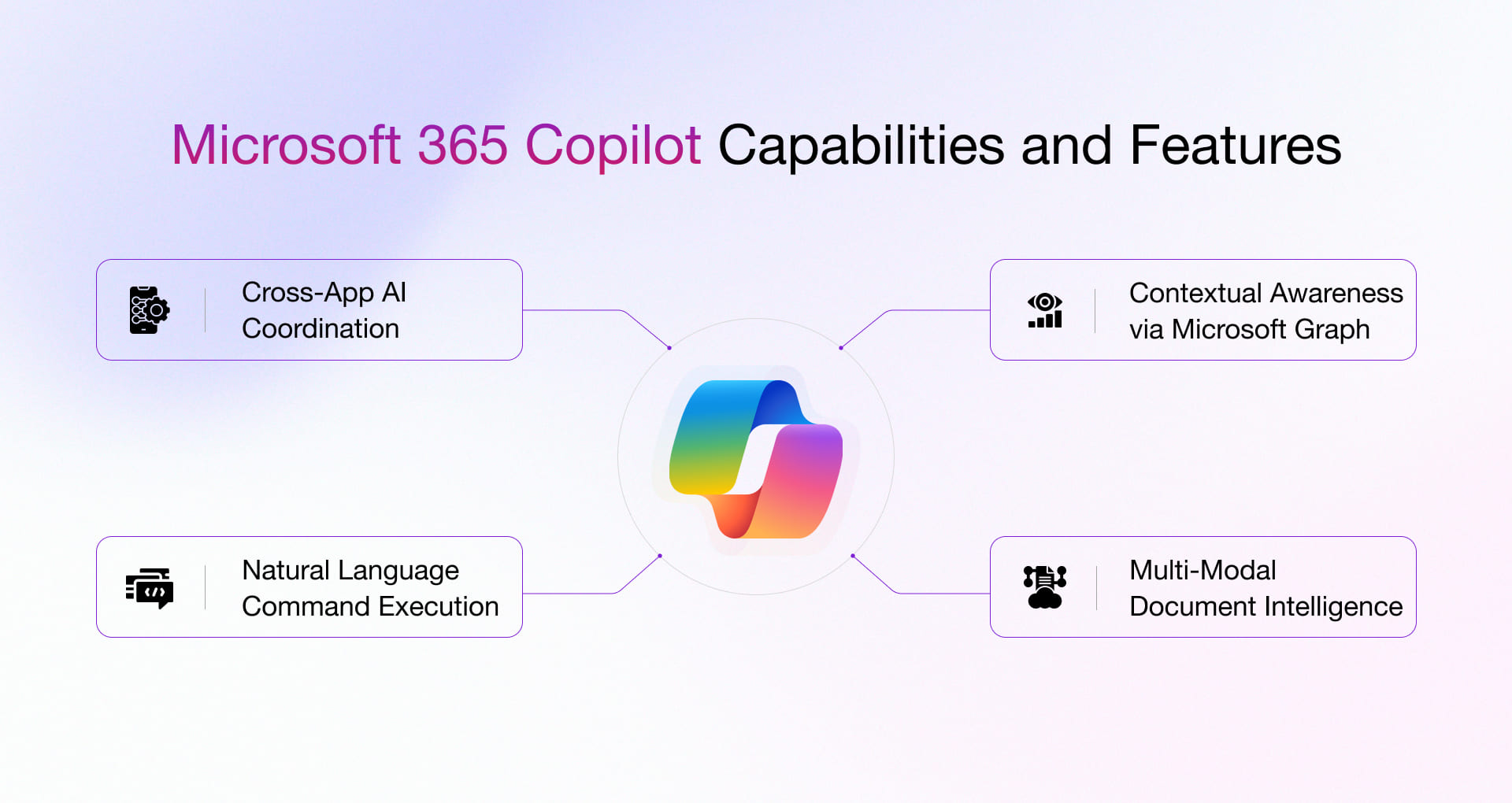
Microsoft Copilot 2026 vs Traditional Productivity Software
| Traditional Software | Microsoft Copilot 2026 |
|---|---|
| User opens individual applications | User can start from Copilot |
| Tasks are mostly manually executed | Some tasks can be delegated |
| Software creation requires technical tools | Code supports natural-language building |
| AI is often a separate feature | AI is integrated into the workflow |
| User manages each step | Agents can handle longer workflows |
| Documents are the primary output | Documents, apps, dashboards and automated tasks can all be outputs |
The new approach does not eliminate traditional applications.
Instead, it changes how users interact with them.
Who Could Benefit From the New Copilot?
Microsoft Copilot 2026 could be useful for several types of users.
Office Workers
People who spend much of their day writing documents, analyzing spreadsheets or preparing presentations could use Copilot to speed up repetitive work.
Business Teams
Teams can potentially use Cowork and Autopilot for larger workflows involving multiple steps.
Non-Technical Users
Code could make it easier for non-developers to create small internal tools.
Developers
Developers can continue using GitHub Copilot while also gaining connectivity with Microsoft’s broader Copilot platform.
Managers
Managers may use AI agents to monitor recurring workflows and follow up on tasks.
Potential Benefits
The new software experience could provide several practical benefits.
Less App Switching
Users can perform more work from a central interface.
Faster Document Creation
Word, Excel and PowerPoint are being brought directly into Copilot.
Easier Software Prototyping
Users can describe small applications instead of starting entirely from code.
More Automation
Autopilot can handle recurring tasks under defined permissions.
Better Workflow Continuity
Home is designed to help users continue work across conversations, files and tasks.
Limitations and Challenges
Despite the potential benefits, the new Copilot experience also has limitations.
Availability
Not all announced capabilities are generally available yet.
Microsoft says Home and Code will roll out through its Frontier program, while Autopilot is moving into private preview.
AI Accuracy
AI-generated documents, code and decisions still need human review.
A fluent response does not automatically mean that the underlying information is correct.
Security
Giving an AI agent access to business systems introduces additional security and governance requirements.
Cost Management
Microsoft is introducing different approaches to AI usage and billing.
The company says everyday AI capabilities use subscription licensing, while long-running agentic capabilities such as Cowork, Code and Autopilot use usage-based billing.
Organizations therefore need to monitor usage rather than assuming every AI task has the same cost.
Learning Curve
Although natural-language software creation is designed to be easier, users still need to understand what they are building and how it should behave.
What Microsoft Copilot Means for the Future of Apps
The new Copilot direction suggests that traditional applications may increasingly become components inside broader AI experiences.
Instead of thinking:
“Which application should I open?”
users may increasingly think:
“What do I need to accomplish?”
The software can then help determine which tools are required.
This does not mean standalone applications are disappearing.
Professional users will continue to need the full capabilities of applications such as Word, Excel, PowerPoint and specialized development tools.
But the interface between the user and those applications may increasingly become conversational and agent-driven.

Microsoft Copilot 2026: What Users Should Know
If you are already using Microsoft 365, the new Copilot features are worth watching, but availability will depend on Microsoft’s rollout and your subscription or organization.
Before relying on an AI agent for important work:
- Review its permissions
- Check generated content
- Verify important numbers
- Protect confidential information
- Understand how usage is billed
- Keep human approval for sensitive decisions
- Test automated workflows before expanding them
For businesses, governance should be considered before allowing autonomous agents to operate across important systems.
Frequently Asked Questions
What is new in Microsoft Copilot 2026?
Microsoft has introduced new Copilot experiences called Home, Code and Autopilot. The update also integrates Word, Excel and PowerPoint more directly into Copilot.
What is Microsoft Copilot Home?
Home is a new starting point for Copilot that brings Chat and Cowork together and helps users continue work, review activity and access AI assistance from one place.
What is Microsoft Copilot Code?
Code allows users to describe applications, dashboards, automations and workflows using natural language. Microsoft says it is powered by technology underlying GitHub Copilot.
What is Microsoft Copilot Autopilot?
Autopilot is Microsoft’s persistent AI agent designed to continue working toward assigned goals within organizational permissions and controls.
Can Copilot create applications?
Microsoft says its new Code capability can create small applications, dashboards, trackers, widgets and workflows from natural-language descriptions.
Is the new Copilot available to everyone?
Not yet. Microsoft is rolling the new capabilities out gradually. Home and Code are beginning through the Frontier program, while Autopilot is expanding to private preview.
Does Microsoft Copilot work with Word and Excel?
Yes. Microsoft is integrating Word, Excel and PowerPoint capabilities directly into the new Copilot experience, while maintaining synchronization with Office applications.
Will AI replace traditional software?
The current Microsoft announcement does not indicate that traditional applications are being eliminated. Instead, Copilot is being positioned as a new interface for working with applications, files, data and AI agents.
Final Thoughts
Microsoft Copilot 2026 represents a significant change in the direction of productivity software.
The biggest development is not simply another chatbot feature. Microsoft is combining AI assistance, Office applications, software creation and autonomous task execution inside one broader experience.
Home is designed to organize the user’s work. Code brings natural-language application building to more people. Autopilot introduces persistent AI agents that can continue working toward defined goals. Word, Excel and PowerPoint are also becoming more directly accessible from the Copilot experience.
However, these capabilities are still rolling out, and many are currently in preview programs. Users and organizations should therefore evaluate them based on actual availability, accuracy, security controls and cost rather than assuming every announced capability is already fully available.
The broader direction is clear: software is moving from tools that simply wait for instructions toward systems that can understand goals, coordinate tasks and help users complete larger pieces of work.
For Apps & Software, that could become one of the most important changes to watch as 2026 continues.