
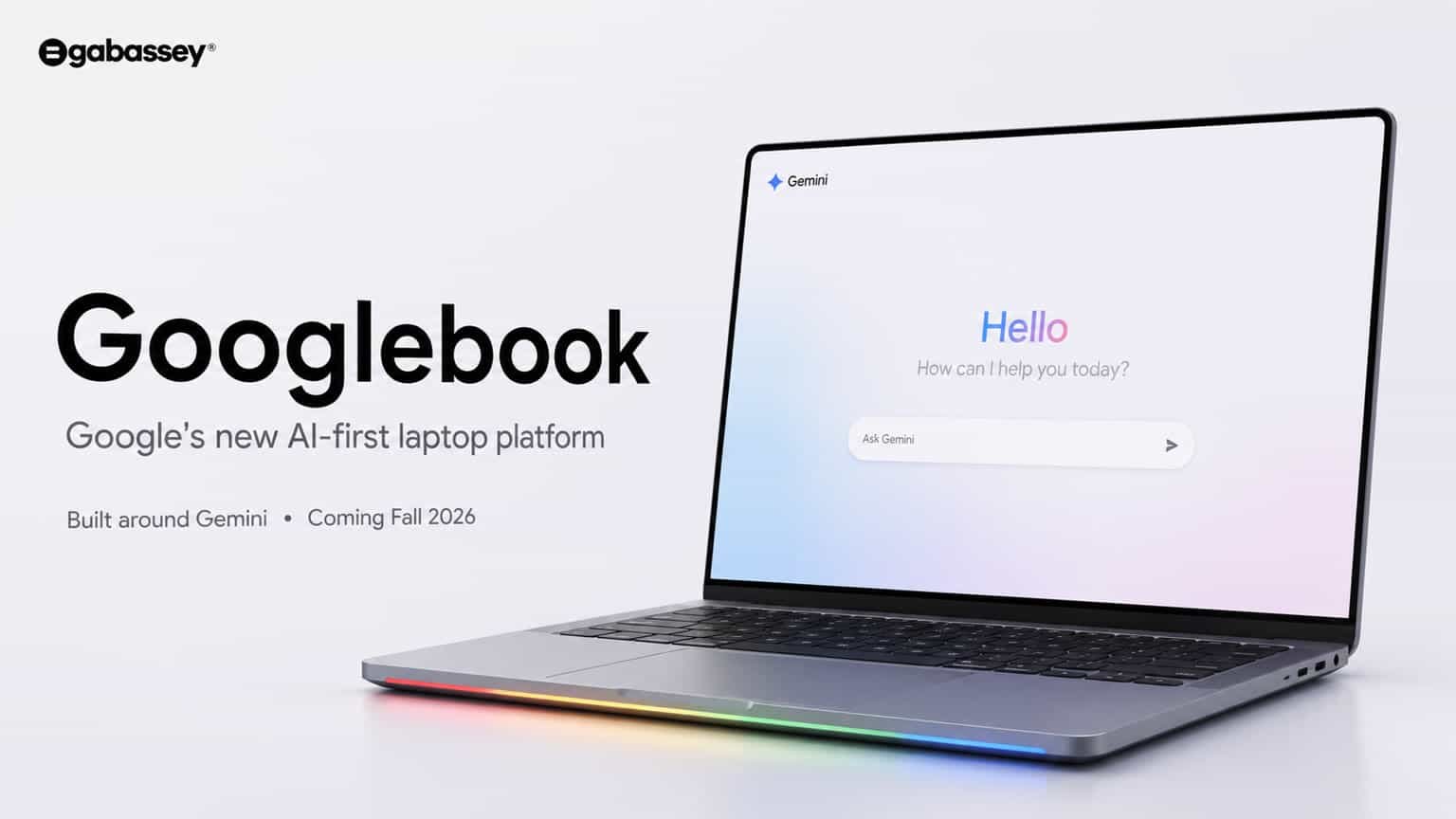
Google is making a major move in the laptop market with a new category of computers called Googlebook.
Announced earlier in 2026 and expanded with full launch details in September, Googlebook is designed around Google’s Gemini Intelligence and combines an Android-based technology stack with desktop foundations from ChromeOS. Google says the new laptops are designed to work closely with Android smartphones and provide AI features directly on the computer.
The latest announcement is significant because Googlebook is not simply another Chromebook with a new name. Google is positioning it as a premium laptop category focused on AI, Android connectivity, local computing and developer workflows.
Pre-orders opened on September 21, 2026, with U.S. pricing starting at $899. Google says the first devices will reach U.S. stores on October 4, followed by several other markets on October 5.
So what exactly is Googlebook, what does it offer, and why is Google entering the premium laptop market?
What Is Googlebook?
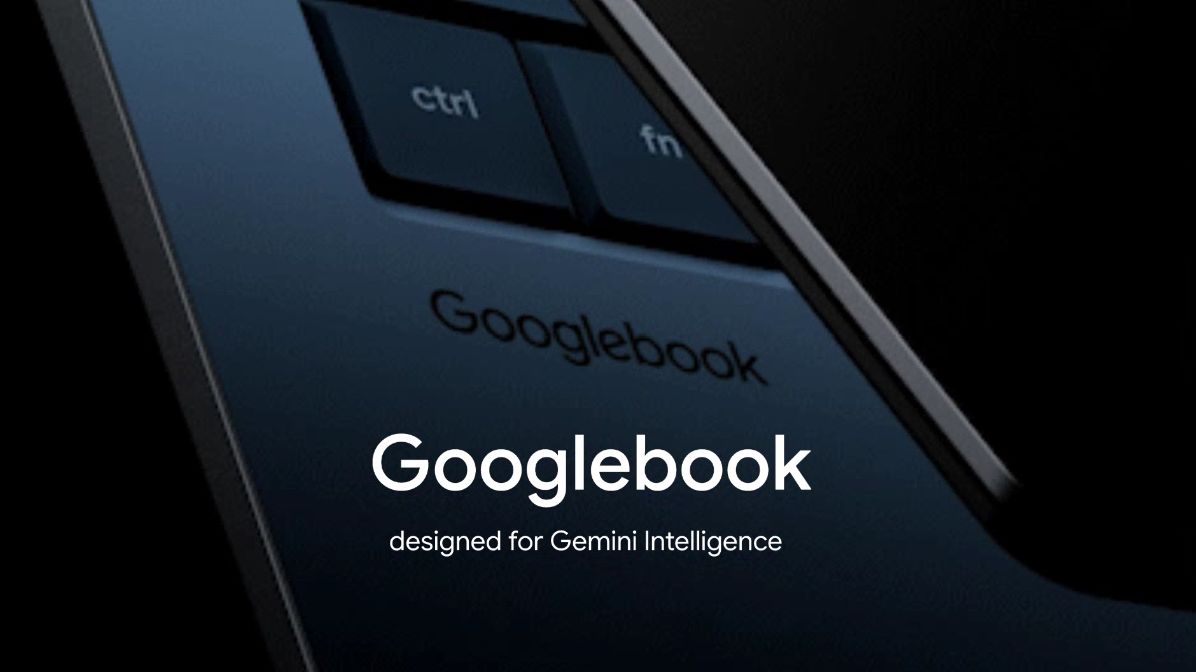
Googlebook is Google’s new laptop category designed specifically around Gemini Intelligence.
Rather than treating AI as an optional application, Google has built Gemini into the overall computing experience.
The company says Googlebook combines the Android technology stack with desktop foundations from ChromeOS. It is also designed to connect naturally with Android phones, allowing users to move between their smartphone and laptop more easily.
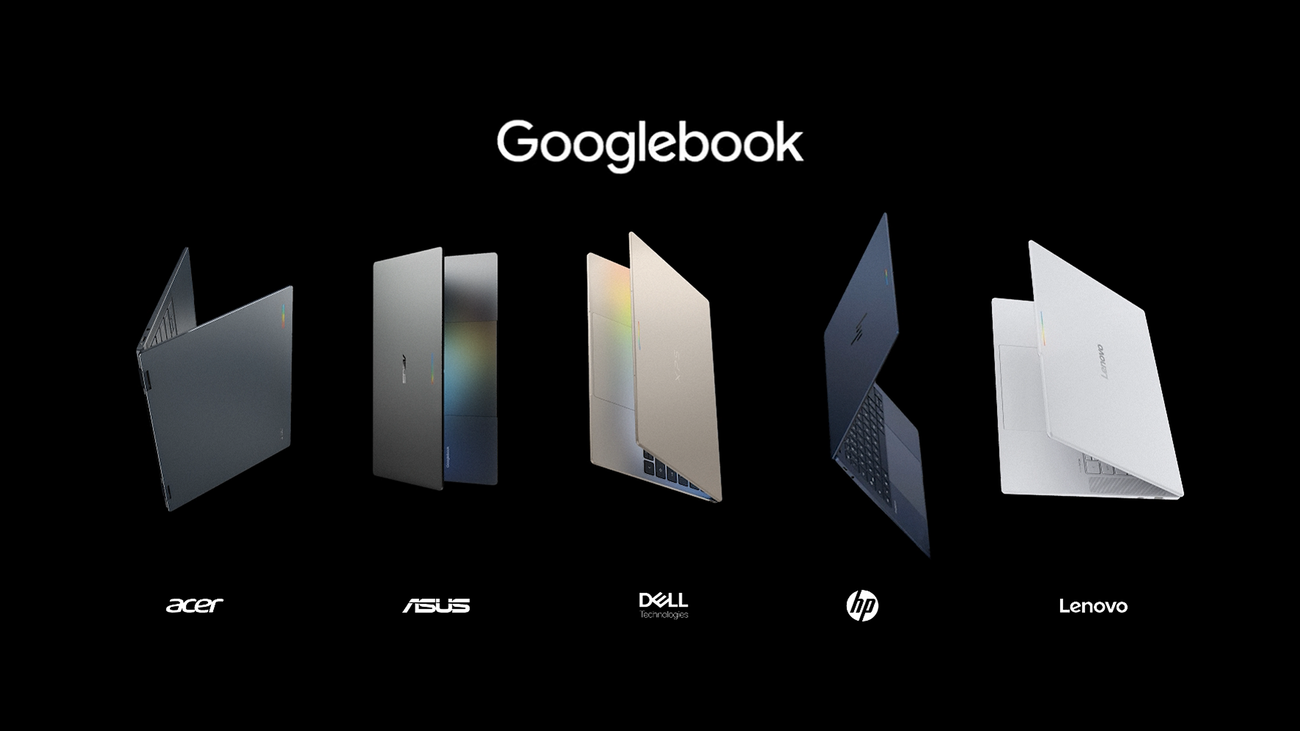
The first Googlebook lineup is being produced in partnership with major laptop manufacturers, including Acer, ASUS, Dell, HP and Lenovo.
Google says the initial models will start at $899 in the United States.
Googlebook Price and Release Date
Google has confirmed the following initial launch details:
| Feature | Googlebook 2026 |
|---|---|
| Starting price | $899 |
| Pre-orders | September 21, 2026 |
| U.S. availability | October 4, 2026 |
| Other initial markets | October 5, 2026 |
| Manufacturers | Acer, ASUS, Dell, HP, Lenovo |
| Display | Up to 2.8K |
| RAM | 16GB baseline, some models up to 32GB |
| AI processing | Dedicated NPU, over 45 TOPS |
| Battery | Up to 14 hours video playback |
| AI subscription | 12 months Google AI Pro included |
| Cloud storage | 5TB with included Google AI Pro |
| OS updates | Up to 10 years |
These specifications and offers are based on Google’s September 2026 launch information and can vary by model and market.
Five Googlebook Models From Major Laptop Brands
Google is not manufacturing every Googlebook itself.
Instead, it is working with established PC manufacturers.
The initial U.S. lineup includes five different models from Acer, ASUS, Dell, HP and Lenovo.
This approach gives Googlebook a wider hardware ecosystem from launch.
Acer Googlebook
Acer’s model is the convertible option in the lineup.
It can function as both a laptop and a tablet, making it aimed at users who want more flexibility from their computer.
ASUS Googlebook
The ASUS version is designed around portability.
Google says this model weighs approximately 2.2 pounds, making it the lightweight option for users who frequently travel.
Dell Googlebook
Dell’s model focuses on a larger premium laptop experience, balancing display, size and overall hardware design.
HP Googlebook
HP’s version focuses heavily on premium design and materials.
Lenovo Googlebook
Lenovo’s model includes a spacious 15-inch display and is positioned toward productivity-focused users.
Google says the devices use materials including aluminum, magnesium alloy and carbon fiber, depending on the model.
Gemini Is at the Center of Googlebook
The biggest difference between Googlebook and a traditional laptop is the role of Gemini.
Google says Gemini is integrated directly into the Googlebook experience rather than existing only as a separate chatbot.
This means AI can interact with different parts of the computer experience.
Google describes Googlebook as a laptop designed around Gemini Intelligence.
The company has introduced several features intended to make the computer more context-aware and useful during everyday tasks.
What Is Magic Pointer?
One of the most unusual Googlebook features is called Magic Pointer.
The feature uses Gemini to understand text, images and context around the user’s cursor.
Instead of manually switching between applications or opening separate AI tools, Google says users can bring Gemini into the area where they are already working.
This is designed to make traditional point-and-click computing more AI-assisted.
For example, while working with text or other content, users can invoke Gemini for contextual assistance without completely leaving their current workflow.
Rambler Brings AI Voice Dictation
Googlebook also introduces Rambler, an AI-powered dictation feature.
Google says Rambler can take an unstructured voice recording and turn it into more organized content.
It can clean up errors and organize action items into structured bullet points.
Google also says the feature supports multilingual speech, allowing users to switch languages during dictation.
For students, professionals and creators who frequently record ideas, this could make voice input more useful than traditional speech-to-text.
Create My Widget Lets Users Build Widgets With Prompts
Another interesting Googlebook feature is Create My Widget.
Google says users can describe the widget they want, and the system can create it without requiring traditional coding skills.
For example, a user could create a custom dashboard for information such as sports scores or a countdown.
This represents a broader trend in computing where natural-language instructions can increasingly be used to create small software experiences.
Googlebook Is Built for On-Device AI
Googlebook is also designed to handle AI workloads locally.
Google says launch models will use Intel Core Ultra Series 3 or Qualcomm Snapdragon X Elite processors, paired with dedicated NPUs capable of more than 45 TOPS of on-device AI processing.
On-device AI can be useful because some tasks can be processed directly on the computer rather than sending every request to a remote server.
Potential advantages include:
- Faster responses for supported workloads
- Reduced dependence on cloud processing
- Better offline functionality for some AI tasks
- More local processing of certain data
- Lower network dependence
However, not every AI task will necessarily run locally. Googlebook also uses Google’s cloud-based AI services, and specific capabilities can depend on the software and service being used.
Googlebook and Android Phones
Google is also emphasizing the relationship between Googlebook and Android smartphones.
The company says Googlebook is built on a shared Android foundation and is designed to make the phone and laptop work together more naturally.
Users can access phone files through the Googlebook file browser without traditional manual file transfers, according to Google.
This could make Googlebook particularly interesting for people already using Android smartphones.
Instead of treating the phone and laptop as separate devices, Google’s strategy is to create a connected computing environment.
Googlebook for Developers
Google is not targeting only casual laptop users.
Developers are also an important part of the Googlebook strategy.
Google says Googlebook includes access to a full Linux terminal environment.
Developers can use tools such as Claude Code and Google’s Antigravity CLI, while the platform also includes Antigravity for building, testing and deploying applications.
This is significant because traditional Chromebook limitations have historically made some professional development workflows more complicated.
Googlebook is clearly being positioned as a more capable development machine.
Security Is Another Major Focus
Google says Googlebook uses security architecture based on ChromeOS.
The company says the system includes:
- Google Titan hardware root of trust
- Defense-in-depth security architecture
- On-device malware detection
- Isolated Linux environments
- A Level 5 security-certified pKVM hypervisor
The isolated Linux environment is particularly interesting for developers.
Google says the hypervisor allows users to run Linux development tools, access code repositories and execute autonomous agents inside an isolated environment.
The practical security benefits will depend on implementation and user behavior, but Google is clearly treating isolation as an important part of the platform.
Googlebook Display and Hardware
Googlebook is positioned as a premium laptop rather than a low-cost Chromebook.
Google says its launch hardware can include:
- Touchscreen displays
- Up to 2.8K resolution
- OLED panels on some configurations
- Haptic glass trackpads
- Backlit keyboards
- Premium materials
- Up to six speakers
- Dolby Atmos audio
- Noise-canceling microphones
The exact configuration depends on the specific Googlebook model.
The combination of premium hardware and AI capabilities shows Google’s intention to compete in a different segment from traditional budget Chromebooks.
Battery Life
Battery life is another area Google is highlighting.
The company says Googlebook models can provide up to 14 hours of video playback and up to 16 hours of web browsing, depending on configuration and testing conditions.
As with all manufacturer battery estimates, actual battery life can vary based on brightness, applications, network connectivity, workload and other settings.
AI-heavy workloads can also place different demands on a system compared with basic web browsing.
Googlebook Includes Google AI Pro
Google is adding software value to the hardware purchase.
The company says every Googlebook includes 12 months of Google AI Pro for eligible users.
The package includes 5TB of cloud storage and access to Google’s Gemini Advanced tools.
Google also says the bundle includes three months of YouTube Premium and other software offers. Eligibility and regional terms can apply.
This subscription bundle is part of Google’s attempt to make the laptop more than just a hardware purchase.
Googlebook OS Updates
Long-term software support is another notable part of the announcement.
Google says Googlebook OS will receive regular feature updates for up to 10 years.
Long support periods can matter significantly for users who expect to keep a laptop for several years.
It also fits Google’s broader strategy of making the operating system an evolving platform rather than a static product.

How Googlebook Fits Into the AI PC Market
Googlebook arrives at a time when the definition of a personal computer is changing.
Traditional computers primarily waited for users to launch applications and perform actions.
AI-powered PCs increasingly aim to understand context and assist with tasks.
Googlebook takes this concept further by integrating Gemini throughout the operating system.
Its approach includes:
- AI-assisted cursor interactions
- Voice-driven organization
- Custom widgets
- On-device AI
- AI agents
- Android integration
- Developer AI tools
- Cloud AI services
This suggests that Google sees the laptop becoming an AI interface rather than simply a machine for running traditional applications.
Googlebook vs Traditional Chromebook
Googlebook is related to ChromeOS technology but is being positioned differently.
| Traditional Chromebook | Googlebook |
|---|---|
| Primarily cloud-focused | AI-focused computing experience |
| Wide range of affordable devices | Premium hardware category |
| ChromeOS foundation | Android technology + desktop foundations |
| Traditional application workflows | Gemini-integrated workflows |
| Standard productivity tools | AI-assisted productivity |
| Limited developer workflows on some devices | Full Linux terminal environment |
| Google Assistant/Gemini access | Gemini integrated into the computing experience |
Googlebook is therefore better understood as Google’s attempt to create a new premium laptop category rather than simply another Chromebook model.
What Googlebook Means for Laptop Technology
The Googlebook announcement reflects a broader change in the laptop market.
AI is becoming part of the operating system itself.
Instead of users opening a chatbot separately, AI can appear inside the workflow.
That could eventually change how people:
- Search for information
- Write documents
- Organize files
- Create software
- Edit media
- Manage schedules
- Communicate
- Build small applications
- Interact with their computers
The biggest question is whether users actually find these AI features useful enough to change their everyday habits.
Potential Limitations
Googlebook also has limitations worth considering.
Price
Starting at $899 places Googlebook above many traditional Chromebook models.
Users looking only for basic web browsing and office work may not need premium hardware.
AI Dependence
Some advanced Gemini experiences rely on Google’s AI services.
That means the complete experience can depend on account access, internet connectivity, service availability and Google’s evolving software ecosystem.
Ecosystem Focus
Googlebook is especially designed around Android and Google services.
Users heavily invested in Windows or Apple’s ecosystem may experience fewer advantages from its cross-device features.
Model Differences
The Googlebook name covers multiple devices.
Specifications, screen technology, processors, weight and battery performance can vary between models.
Googlebook Availability
Google opened pre-orders on September 21, 2026.
According to Google, devices will be available starting October 4 in the United States and October 5 in Canada, the United Kingdom, Ireland, France, Germany and Australia. Availability can vary by region and model.
For buyers outside the initial launch markets, Googlebook availability will depend on Google’s regional rollout.
Frequently Asked Questions
What is Googlebook?
Googlebook is Google’s new premium laptop category designed around Gemini Intelligence, Android integration and desktop computing.
How much does Googlebook cost?
Google says Googlebook starts at $899 in the United States. Pricing varies by model and region.
When will Googlebook be released?
Google says the first Googlebook devices will reach U.S. stores on October 4, 2026. Several additional markets are scheduled for October 5.
Which companies make Googlebook laptops?
The initial Googlebook lineup is being produced by Acer, ASUS, Dell, HP and Lenovo.
Does Googlebook use Gemini AI?
Yes. Gemini Intelligence is a central part of the Googlebook experience, with features including Magic Pointer, AI voice capabilities and other Gemini-powered tools.
Does Googlebook work with Android phones?
Yes. Googlebook is specifically designed to integrate with Android smartphones, including access to phone files and cross-device functionality.
Is Googlebook good for developers?
Google is targeting developers with a full Linux terminal environment, Antigravity and support for developer tools such as Claude Code and Antigravity CLI.
How long will Googlebook receive updates?
Google says Googlebook OS will receive regular feature updates for up to 10 years.
Final Thoughts
Googlebook is one of the more notable laptop announcements of 2026 because Google is attempting to rethink what an AI-powered computer should look like.
Instead of simply adding a chatbot to an existing operating system, Google is building Gemini into the broader laptop experience through features such as Magic Pointer, Rambler, custom widgets, on-device AI and Android integration.
The hardware is also positioned in the premium segment, with launch models from Acer, ASUS, Dell, HP and Lenovo starting at $899 in the United States.
Whether Googlebook becomes a major laptop platform will depend on factors such as pricing, software quality, application support, AI usefulness and how well Google’s Android and Gemini ecosystem works in everyday use.
For now, the launch shows where Google believes personal computing is heading: toward laptops where AI is built into the operating experience instead of being treated as a separate application.