
Google Workspace has been one of the most widely used collections of productivity applications for work, education and personal projects. Its core apps—including Gmail, Google Docs, Google Sheets, Google Drive, Google Slides and Google Meet—have traditionally focused on cloud collaboration and productivity.
In 2026, however, Google Workspace is changing in a significant way.
Artificial intelligence is increasingly becoming part of the applications themselves. Instead of opening a separate AI chatbot and copying information between services, users can increasingly interact with AI directly inside productivity workflows.
Recent updates include voice-powered capabilities in Gmail, Docs and Keep, AI image creation through Google Pics, AI-assisted spreadsheet workflows, and deeper connections between Gemini and Workspace applications. Google has also introduced Gemini Spark, a personal AI agent designed to help users take actions across their digital lives under their direction.
These changes are important because they show how traditional productivity apps are evolving from simple tools into more intelligent software environments.
This article explores the latest Google Workspace apps and features in 2026, how they work, what they can do, their benefits and limitations, and what the changes mean for the future of productivity software.
What Is Google Workspace?
Google Workspace is Google’s collection of cloud-based productivity and collaboration applications.
Its ecosystem includes applications such as:
- Gmail
- Google Docs
- Google Sheets
- Google Slides
- Google Drive
- Google Meet
- Google Chat
- Google Calendar
- Google Forms
- Google Keep
These applications are designed to work together through Google’s cloud infrastructure.
For example, a user can receive information in Gmail, store files in Drive, analyze information in Sheets and prepare a report in Docs without needing to move everything to a traditional desktop office environment.
The integration between these applications has always been one of Google Workspace’s major characteristics.
In 2026, AI is becoming another layer connecting those applications.
Why Google Workspace Is Changing in 2026
The traditional productivity model requires users to manually perform many small actions.
A typical workflow might look like this:
- Read an email.
- Find an attachment.
- Download the file.
- Open a spreadsheet.
- Analyze the information.
- Write a report.
- Create a presentation.
- Send the result to colleagues.
AI can potentially reduce some of these manual steps.
Instead of simply providing an AI chatbot, Google is integrating AI into the applications where people already work.
This creates a more conversational approach to productivity.
Users can increasingly describe what they want instead of manually navigating every feature.
Gmail Gets More Conversational
Gmail remains one of the most important applications in Google Workspace.
In September 2026, Google introduced new voice capabilities for Gmail that allow users to interact with their inbox conversationally. Google says Gemini Audio models can help users search their inbox using natural conversation and perform other tasks using voice.
This represents an important change in how people can interact with email.
Instead of manually searching through thousands of messages, a user could use natural language to locate information.
For example, a user may want to find:
- An email from a particular person
- A previous project discussion
- An attachment
- A specific piece of information
- A conversation from a particular period
The benefit is not simply voice input. The bigger idea is making email search more conversational.
Why AI Email Search Matters
Email has become a large information database for many professionals.
Important information can be buried among:
- Newsletters
- Notifications
- Meeting messages
- Marketing emails
- Project conversations
- Attachments
- Internal communication
AI-powered search can potentially make this information easier to access.
However, users should still verify important information because AI-assisted search and summarization can make mistakes.
Google Docs and AI-Powered Writing
Google Docs has long been used for writing documents, reports, assignments and collaborative projects.
AI is increasingly becoming part of this workflow.
Google’s Workspace AI features are designed to help users brainstorm, organize ideas and work with documents more efficiently.
The September 2026 voice update also brings conversational capabilities to Docs, allowing users to interact with Workspace using voice.
This can be useful for people who prefer speaking rather than typing.
For example, a user might dictate an idea and then refine it into a structured document.
AI can also assist with tasks such as:
- Drafting
- Rewriting
- Summarizing
- Organizing information
- Improving clarity
- Brainstorming
- Creating structured content
The key advantage is that the AI is integrated into the document workflow rather than existing completely outside it.
Google Keep Gets AI Voice Features
Google Keep is designed for notes, reminders and quick ideas.
Its simplicity is one of its main strengths.
The 2026 Workspace updates introduce voice-based capabilities that can help users capture thoughts and information conversationally. Google specifically describes the feature as useful for capturing fleeting thoughts and brainstorming.
This could be particularly useful when a person does not want to stop and type.
For example, someone walking or working on another task could quickly record an idea using voice.
AI can then become part of the process of turning quick thoughts into organized information.
Google Sheets Becomes More Interactive
Google Sheets is traditionally a spreadsheet application, but Google’s 2026 AI updates are pushing it toward a more interactive experience.
Google introduced Sheets Canvas, which can turn spreadsheet information into custom interactive “mini-apps” using a prompt. The feature is included in Google AI Pro and Ultra plans according to Google’s September 2026 announcement.
This is an interesting development because it changes how users may think about spreadsheets.
Instead of only creating rows and columns, users can potentially describe the type of tool they want and use AI to help construct an interactive experience around their data.
Possible use cases include:
- Project trackers
- Planning tools
- Data dashboards
- Simple business utilities
- Interactive reports
- Internal workflow tools
The exact capabilities and availability can vary by account and plan.
Google Pics: AI Image Creation Inside Workspace
Another notable 2026 addition is Google Pics.
Google introduced Google Pics as an AI image creation and editing tool for Workspace. Google says users can generate and refine graphics through text prompts and perform tasks such as isolating objects, editing text and translating words inside images.
Google also announced plans for Workspace integrations that allow users to create and edit images within applications such as Docs, Slides and Drive.
This is significant for users who regularly create:
- Presentations
- Marketing materials
- Social media graphics
- Documents
- Educational content
- Visual reports
Previously, users might have needed to leave their productivity application, open a separate design tool, create an image and then import it.
AI integration can reduce some of those steps.
Google Pics for Content Creators
For creators, AI image tools can speed up early-stage design work.
A creator could potentially use AI to:
- Create a visual concept
- Edit an existing graphic
- Remove an object
- Modify text
- Produce variations
- Prepare presentation visuals
However, AI-generated images should still be reviewed carefully for accuracy, typography and visual quality.
Gemini Spark and the Shift Toward AI Agents
One of the more significant developments in Google’s productivity ecosystem is Gemini Spark.
Google introduced Gemini Spark as a 24/7 personal AI agent that can help users navigate digital tasks and take actions on their behalf under their direction. Google says Spark can also integrate with Workspace applications.
This is different from a traditional chatbot.
A chatbot primarily provides information.
An AI agent is designed to work toward a goal.
For example, an agent could potentially help coordinate information across multiple applications rather than simply answering a question.
This represents a broader shift in software:
From apps that respond to commands → toward apps that can assist with goals.
Google Workspace and Connected Apps
Another major software trend in 2026 is the connection between AI assistants and external applications.
The idea is relatively simple.
Instead of an AI system operating in isolation, users can authorize it to interact with selected services.
For example, an AI system might connect with:
- Documents
- Calendars
- Design tools
- Project management software
- Cloud storage
- Business applications
This can make AI more useful because the system has access to relevant context.
However, permissions become extremely important.
Users should understand exactly what an AI application can access and what actions it is allowed to perform.
Google Workspace and Voice Productivity
Voice is becoming another important interface for productivity software.
Google’s September 2026 update brings voice capabilities to Gmail, Docs and Keep, allowing users to interact with these applications conversationally.
This could be particularly useful for:
- People who think verbally
- Users working on mobile devices
- Accessibility scenarios
- Brainstorming
- Quick note-taking
- Hands-free workflows
The larger trend is that software interfaces are becoming multimodal.
Users may increasingly interact with applications using:
- Keyboard
- Mouse
- Touch
- Voice
- Images
- Natural language
Google Workspace for Students
Google Workspace is also relevant to education.
Students can use productivity applications for:
- Research
- Notes
- Essays
- Presentations
- Spreadsheets
- Group projects
- Organization
Google’s September 2026 AI plan update says eligible college students around the world can receive one year of a Google AI plan free of charge, subject to eligibility and offer terms.
For students, AI tools can potentially help organize information and improve productivity.
However, students should understand their school’s academic-integrity rules before using generative AI for assignments.
AI assistance should not automatically be treated as a substitute for learning.
Google Workspace for Businesses
Businesses can benefit from AI-powered productivity applications because employees spend significant amounts of time working with information.
Typical business workflows involve:
- Documents
- Meetings
- Spreadsheets
- Presentations
- Reports
- Data
- Collaboration
Integrating AI directly into these applications can reduce some repetitive work.
Google’s approach is also part of a wider software industry trend.
Microsoft, for example, describes Microsoft 365 Copilot as having agentic capabilities across applications such as Word, Excel, PowerPoint and Outlook.
This suggests that major productivity platforms are increasingly competing around integrated AI workflows rather than simply individual application features.
Google Workspace vs Traditional Office Software
Traditional office software typically requires users to operate individual features manually.
AI-powered productivity software introduces another layer.
| Traditional Productivity | AI-Powered Productivity |
|---|---|
| Manual search | Conversational search |
| Manual drafting | AI-assisted drafting |
| Manual formatting | AI-assisted formatting |
| Manual data analysis | AI-assisted analysis |
| Separate design tools | Integrated AI creation |
| Fixed workflows | More flexible workflows |
| Keyboard and mouse | Text, voice and multimodal interaction |
This does not mean traditional features are disappearing.
Instead, AI is becoming an additional way to control and use software.
Benefits of Google Workspace AI Features
1. Faster Workflows
AI can reduce the number of manual steps required for certain tasks.
2. Better Information Discovery
Conversational search can make large collections of information easier to navigate.
3. Easier Content Creation
Users can get help creating documents, graphics and presentations.
4. Voice Interaction
Voice features can make some workflows faster and more accessible.
5. Cross-App Productivity
AI can potentially connect information and workflows across multiple Workspace applications.
6. Easier Data Interaction
AI-powered spreadsheet features can help users interact with data without manually building every component from scratch.
Limitations and Challenges
AI-powered productivity software also has limitations.
AI Can Make Errors
An AI-generated summary can misunderstand context.
An AI-created spreadsheet formula can be incorrect.
An AI-generated image can contain visual or textual errors.
Users should review important results.
Privacy
Workspace applications can contain highly sensitive information.
Businesses should understand:
- What data AI features can access
- How permissions work
- How information is processed
- Which organizational controls are available
Feature Availability
Not every AI feature is available to every user.
Some capabilities may depend on:
- Country
- Account type
- Workspace edition
- Google AI plan
- Device
- Rollout status
Google’s own announcements specify different availability conditions for several 2026 features.
Cost
Some advanced AI features are tied to paid Google AI plans.
Users should compare the actual features they need before paying for a subscription.
Are AI-Powered Apps Replacing Traditional Apps?
Not necessarily.
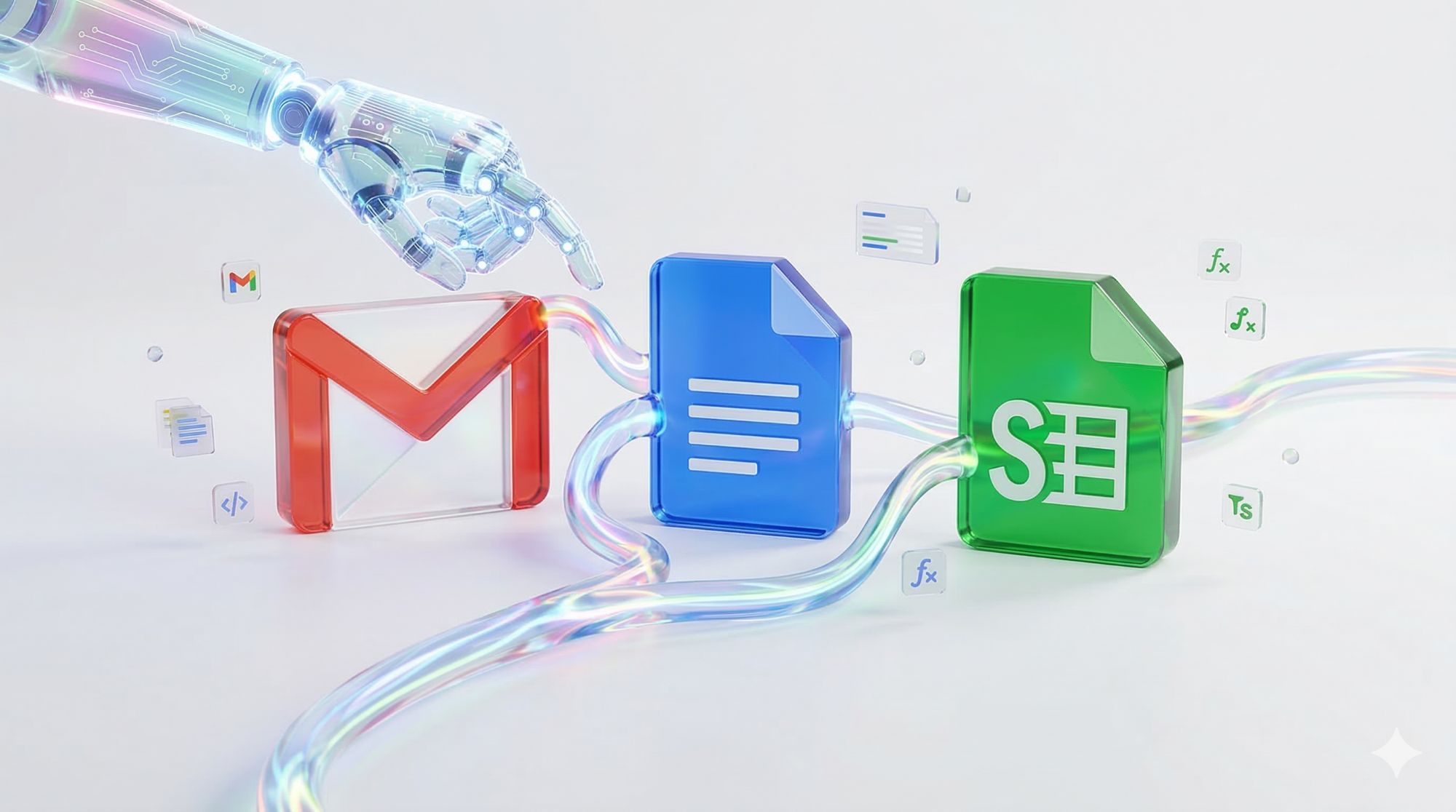
A more accurate way to describe the current trend is that traditional applications are becoming AI-assisted.
Gmail is still email.
Docs is still a document editor.
Sheets is still a spreadsheet.
Keep is still a note-taking application.
But AI is becoming an additional interface that can help users operate these tools.
This approach may be more practical than replacing applications entirely.
What This Means for the Future of Productivity Software
The future of productivity software may become increasingly conversational and agentic.
Instead of opening several applications and manually moving information between them, users may increasingly describe a goal.
For example:
“Review this week’s project information, summarize the important updates, organize the numbers in a spreadsheet and prepare a presentation.”
A future productivity system could potentially coordinate several applications to help accomplish that goal.
This does not mean every workflow will become completely automated.
Human review will remain important, particularly when information is sensitive or decisions have significant consequences.
How to Use AI Productivity Apps Responsibly
Users can get more value from AI productivity tools by following a few simple principles.
Verify Important Information
Do not assume AI-generated information is automatically correct.
Protect Sensitive Data
Be careful when using AI with confidential personal or business information.
Review Generated Content
Check documents, spreadsheets, images and summaries before publishing or sharing them.
Understand Permissions
Know what your connected AI applications can access.
Keep Human Judgment
Use AI to assist with work, but retain responsibility for important decisions.
What Users Should Know Before Choosing Google Workspace Apps
Google Workspace remains attractive because its applications work together in one ecosystem.
For users who already depend on Gmail, Docs, Drive and Sheets, the integration of AI can reduce the need to switch between multiple services.
However, the right choice depends on individual needs.
Someone who primarily needs email and documents may not need advanced AI features.
A professional working with large amounts of data may find AI-assisted Sheets features more relevant.
A creator may be more interested in Google Pics.
A user who wants proactive digital assistance may be more interested in Gemini’s agentic capabilities.
The important thing is to evaluate features based on actual workflow requirements rather than simply choosing software because it includes AI.
The Future of Google Workspace Apps
Google’s 2026 updates suggest that Workspace is evolving from a collection of separate productivity applications toward a more connected intelligent software ecosystem.
Voice interaction, AI image creation, interactive spreadsheet experiences and personal AI agents all point in the same direction.
The traditional application remains important, but AI increasingly becomes the layer connecting the user, information and software.
This could eventually make productivity software feel less like a collection of tools and more like an intelligent working environment.
The major challenge will be balancing convenience with privacy, accuracy, security and user control.
Frequently Asked Questions
What is Google Workspace?
Google Workspace is Google’s cloud-based productivity and collaboration platform containing applications such as Gmail, Docs, Sheets, Drive, Slides, Meet and Keep.
What are the new Google Workspace features in 2026?
Major 2026 developments include voice features in Gmail, Docs and Keep, Google Pics for AI image creation and editing, AI-powered spreadsheet experiences and deeper Gemini integration.
What is Google Pics?
Google Pics is Google’s AI image creation and editing tool for Workspace. Google says it can generate and refine graphics, isolate objects, edit text and translate words inside images.
What is Gemini Spark?
Gemini Spark is a personal AI agent announced by Google that is designed to help users navigate digital tasks and take actions under their direction, with integration into Workspace applications.
Can I use AI in Gmail?
Google introduced voice-based AI capabilities for Gmail in September 2026, including conversational inbox search. Availability can depend on the user’s Google AI plan and account.
Is Google Workspace good for businesses?
Google Workspace provides cloud-based applications for email, documents, spreadsheets, presentations, storage and collaboration. AI features can add productivity and automation capabilities, but businesses should evaluate security, privacy, administration and plan requirements.
Are Google Workspace AI features free?
Not all advanced AI features are available on every free account. Some features are tied to Google AI plans or specific Workspace editions. Google publishes availability information for individual features.
Will AI replace Google Workspace applications?
AI is currently being integrated into Google Workspace applications rather than simply replacing them. Gmail, Docs, Sheets and other applications remain the underlying productivity tools while AI adds new ways to interact with them.

Final Thoughts
Google Workspace apps are entering a new phase in 2026.
The biggest change is not simply the addition of another chatbot. Instead, AI is becoming embedded directly into the applications people already use for communication, writing, data analysis, creativity and organization.
Gmail is gaining conversational voice capabilities. Docs and Keep are becoming more natural to interact with through voice. Sheets is gaining AI-powered interactive experiences, while Google Pics introduces AI image creation and editing inside the Workspace ecosystem.
Gemini Spark represents an even broader direction: AI assistants that can help users complete tasks rather than simply answer questions.
For users, this could mean less repetitive work and more natural interaction with software.
But AI does not remove the need for human judgment. Accuracy, privacy, security and permissions remain important considerations.
The future of productivity apps is therefore likely to be a combination of traditional software, cloud collaboration, AI assistance, voice interaction and increasingly capable agents.
Google Workspace’s 2026 updates provide a useful example of how that future is already beginning to take shape.