
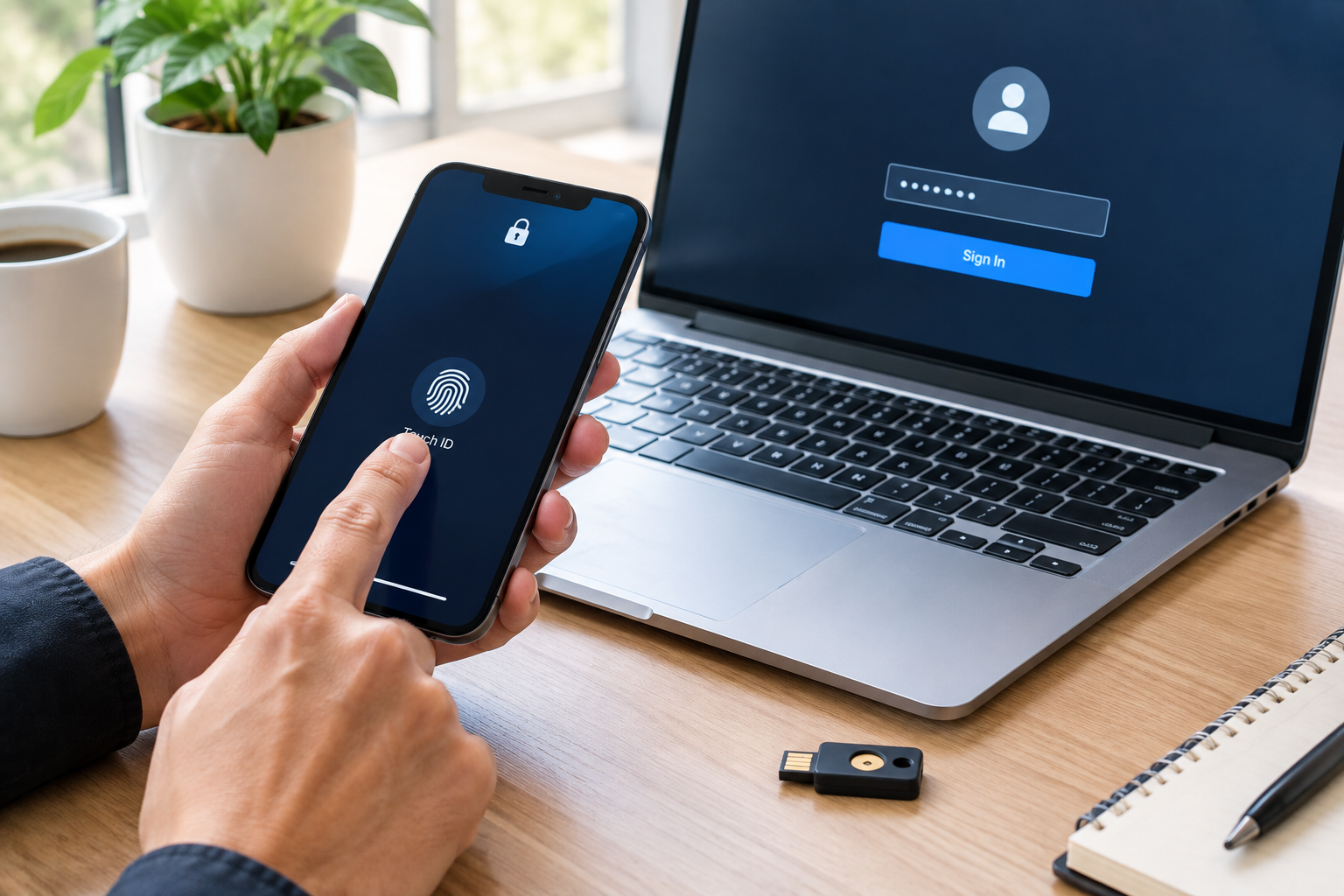
Passkeys are no longer a feature you have to hunt for. The FIDO Alliance, the industry group behind the standard, announced on World Passkey Day 2026 that an estimated 5 billion passkeys are now in use worldwide. Most people with a modern phone have been offered one, and many have said yes without really noticing. fidoalliance
The more interesting question is why passwords haven’t disappeared. This article explains how passkeys work, what the 2026 data shows, where they still fall short, and how to start using them without locking yourself out.
What a passkey actually is
A passkey is a login credential that replaces your password. It is built on the FIDO2 standard, which combines the WebAuthn browser API with a protocol for talking to authenticators.
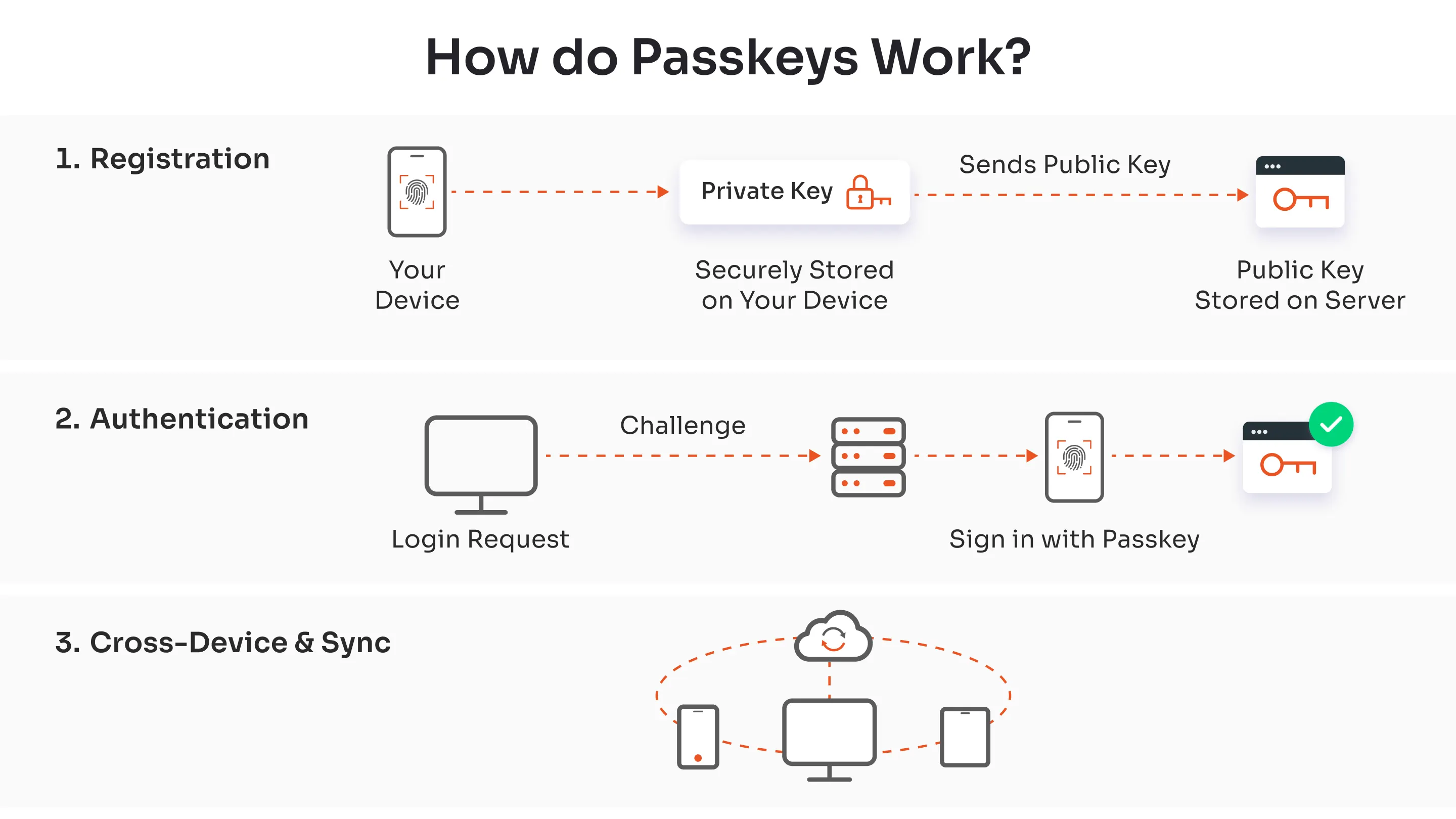
When you create a passkey for a site, your device generates a pair of cryptographic keys. The public key goes to the website. The private key stays on your device, or in your password manager or cloud keychain, and never leaves your control. To sign in, the site sends a challenge, and your device signs it after you confirm with a fingerprint, face scan, or screen-lock PIN.
Two consequences follow. There is no shared secret for an attacker to steal from the website’s database, because the site only holds a public key. And the credential is tied to the real website’s domain, so a fake login page can’t trick you into handing anything over. That second property is why security people call passkeys phishing-resistant, and it is the main reason they matter.
What the 2026 numbers say
The FIDO Alliance’s State of Passkeys 2026 report draws on two studies run by Sapio Research in April 2026. As detailed by a third-party summary, those covered 11,000 consumers and 1,400 enterprise decision-makers across ten countries. mojoauth
Some of the headline findings:
- Awareness has jumped. Consumer awareness rose from 75% last year to 90% this year. descope
- Regular use is climbing. FIDO reports that 49% of people use passkeys regularly when available. fidoalliance
- Websites are catching up. Roughly 48% of the world’s top 100 websites now support passkeys, more than double the 2022 figure, according to FIDO figures reported by MojoAuth, a passwordless-authentication vendor. mojoauth
- Enterprises are moving. One industry summary of the report says 68% of organizations are actively rolling out or piloting passkeys for their workforce. mojoauth
- Regional gaps are real. In Singapore, for example, 80% of people are aware of passkeys and 38% use them regularly when available, both below the global figures. bernama
A caution on the headline number: the 5 billion figure is an estimate. FIDO says it is calculated from publicly available data and its own internal deployment data, not an independent audit. It’s a useful indicator of scale, but one person with passkeys on six apps counts as six. fidoalliance
The gap nobody likes to mention
The most useful finding in the report is about what happens after deployment. The same summary notes that even among organizations that have deployed passkeys, 57% still rely on phishable authentication methods for primary day-to-day sign-in. mojoauth
That matches what most of us experience. A site adds a “Sign in with a passkey” button, but the password field is still there. Account recovery often falls back to email links or SMS codes. An attacker doesn’t need to defeat the passkey if the password still works.
FIDO’s own marketing chief put the next goal plainly: scaling usage after deployment and making passkeys the default way people sign in. In other words, the technology works. The remaining job is getting rid of the weaker options sitting next to it. fidoalliance

Passkeys vs passwords vs two-factor codes
| Password | Password + SMS/app code | Passkey | |
|---|---|---|---|
| Can be phished | Yes | Often yes | Designed to resist it |
| Can leak in a breach | Yes | Yes | Server holds only a public key |
| Needs memorizing | Yes | Yes | No |
| Sign-in speed | Slow | Slower | Usually one tap or glance |
| Recovery complexity | Low | Medium | Depends on your sync provider |
The last row is where passkeys are still less simple than they look.
The limitations that matter
Where your passkeys live decides how safe your recovery is. Passkeys can be synced through an ecosystem such as Apple’s iCloud Keychain, Google Password Manager, or a third-party password manager like 1Password or Bitwarden. Or they can be device-bound on a hardware security key. Synced passkeys are convenient, but your account recovery is only as strong as your Apple, Google, or password-manager login. Protect that account first.
Switching ecosystems can be awkward. Moving between iPhone and Android, or between password managers, has improved but is still not seamless everywhere. Some sites don’t let you register more than one passkey, which makes backups harder.
Support is uneven. Many sites offer passkeys, but not all of them let you remove your password afterward. Until they do, your account is only as secure as the weakest method still enabled.
Shared and work devices are tricky. A passkey tied to a personal biometric doesn’t fit a shared family tablet or a kiosk. Enterprises often need hardware keys or managed credentials for those cases.
Who benefits most
Passkeys make the biggest difference for people who reuse passwords, who’ve ever been caught by a convincing phishing email, or who manage many accounts and are tired of reset flows. They are also a strong upgrade for anyone who holds valuable accounts: email, banking, cloud storage, and social media with a large following.
If you already use a good password manager, unique passwords, and a hardware security key, your security posture is already strong. Passkeys will still be more convenient, but the security gain is smaller.
How to switch without locking yourself out
- Secure your root account first. Whichever ecosystem holds your passkeys (Apple, Google, Microsoft, or a password manager) should have a strong, unique passphrase and its own recovery method set up.
- Start with your email. Your email account is the key to every reset link, so converting it first gives the biggest security return.
- Add a passkey, don’t delete the password yet. Confirm the passkey works on a second device before removing the old login, if the site allows removal.
- Register a backup. Where a site permits it, add a second passkey, such as a hardware key kept in a safe place.
- Review recovery options. If an account can be reset by SMS alone, the passkey’s protection is partly undone. Tighten recovery where possible.
- Move gradually. Doing a few important accounts a week is more realistic than a single weekend of changes.
For implementation detail, the official sources are the FIDO Alliance (fidoalliance.org) and the platform documentation published by Apple, Google, and Microsoft.
What to expect next
The direction is clear, but the finish line is not close. The enterprise numbers suggest workplaces will push the change faster than consumers will, since companies can mandate it. For individuals, the likely path is a long overlap period in which passkeys are the easy default and passwords linger as a fallback. Treat any claim that passwords will vanish by a specific date as speculation, because nothing in the 2026 data supports a timeline.
Frequently Asked Questions
Are passkeys safer than passwords?
For most threats, yes. Passkeys can’t be guessed, reused across sites, or handed to a fake login page, and a breached website doesn’t leak anything an attacker can replay. They are not immune to every risk. If someone gains control of the account that syncs your passkeys, or a site allows weak recovery, that becomes the weak point.
What happens if I lose my phone?
If your passkeys sync through iCloud, Google, or a password manager, you can restore them on a new device after signing in to that account. If they are device-bound, you’ll need a backup passkey or the site’s recovery process. This is why registering a second passkey is worth the minute it takes.
Do I need a special device to use passkeys?
Not usually. Recent phones, laptops, and browsers support them, and you unlock them with the same biometric or PIN you already use. Older devices may need a password manager or a hardware key as a substitute.
Can I use one passkey on multiple devices?
With a synced passkey, yes, within the same ecosystem or password manager. Across ecosystems, you can often sign in on another device by scanning a QR code with your phone, though the experience varies by site and platform.
Should I delete my passwords after adding a passkey?
Only if the site allows it and you’ve confirmed your passkey works on more than one device. Keeping a password you never use, and which could be phished, undermines much of the benefit, so removal is the goal once you’re confident.
Is the 5 billion passkeys figure reliable?
It comes from the FIDO Alliance itself, which says it’s an estimate based on public data and its own deployment numbers. Treat it as a reasonable indicator of scale rather than a precise count.