
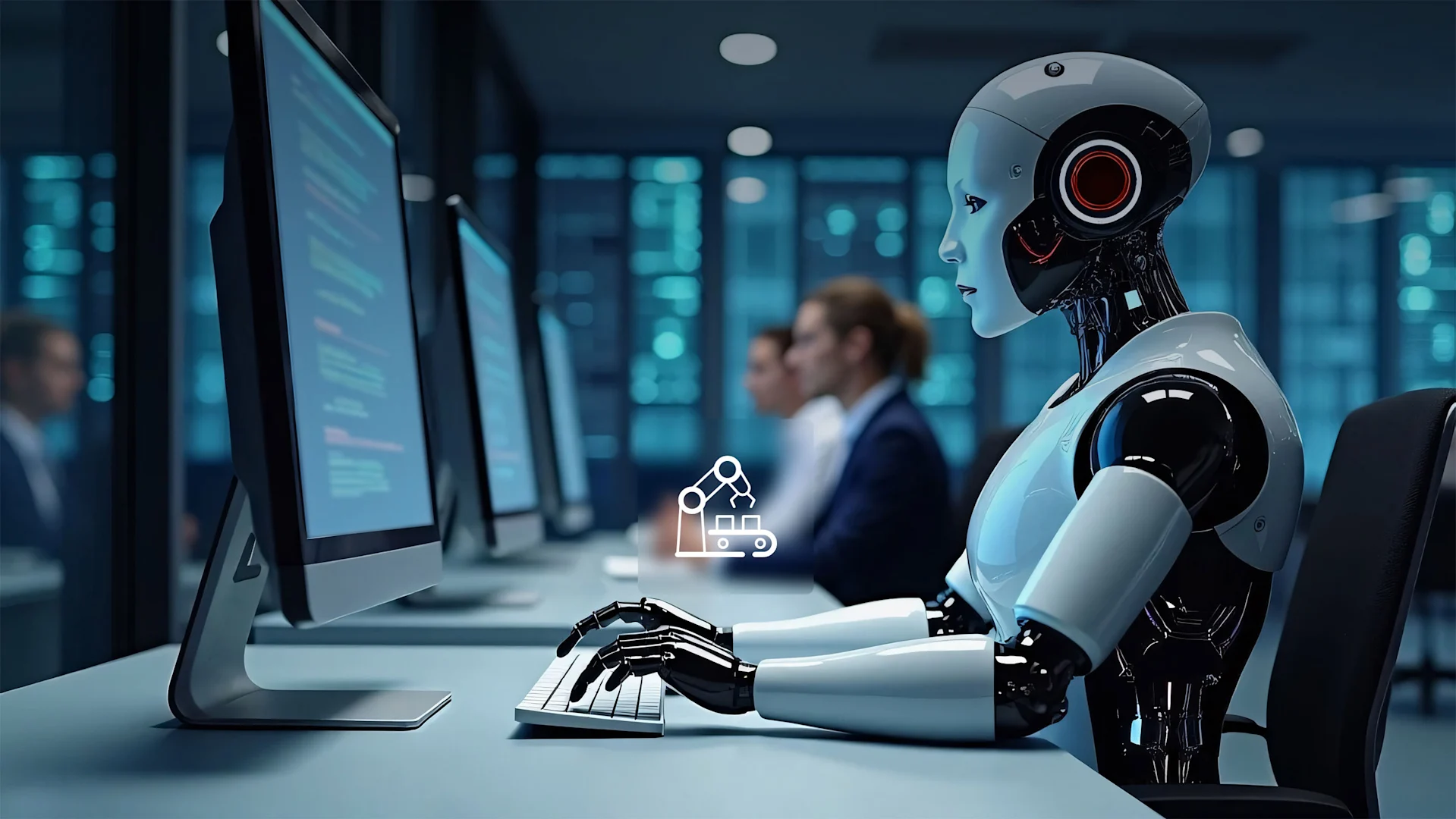
Artificial intelligence is entering a new stage where AI systems are becoming capable of interacting with computers instead of simply talking about what a person should do.
For years, most AI assistants worked primarily through text. A user asked a question, the AI generated an answer, and the human performed the actual work.
Computer-use agents are changing this model.
Instead of only explaining how to complete a task, an AI computer-use agent can potentially observe a graphical interface, identify buttons and fields, interact with applications, browse websites, enter information and complete multiple steps toward a goal.
Google integrated computer-use capabilities directly into Gemini 3.5 Flash in June 2026, allowing developers to build agents that can see, reason and take actions across browser, mobile and desktop environments. Google says the capability is intended for long-horizon tasks such as software testing and professional knowledge work.
OpenAI has also expanded computer-use capabilities in Codex. Its April 2026 update described Codex as being able to operate a computer by seeing, clicking and typing, while working with multiple applications.
Microsoft Research has meanwhile developed Fara1.5, a family of computer-use agent models designed for browser interaction, with its model weights later made publicly available under the MIT license.
These developments point toward an important shift in software: AI is moving from generating instructions to interacting directly with digital environments.
What Are AI Computer-Use Agents?
AI computer-use agents are artificial intelligence systems designed to interact with graphical computer interfaces.
A normal chatbot might tell you:
“Open your browser, go to the website, click Settings and change the option.”
A computer-use agent can potentially perform those actions itself.
Depending on the system, a computer-use agent may be able to:
- View the screen
- Understand visual elements
- Identify buttons
- Read text
- Move a cursor
- Click
- Type
- Scroll
- Open applications
- Navigate websites
- Fill forms
- Work with files
- Execute multi-step workflows
The exact capabilities vary significantly between AI systems.
The important concept is that the AI is interacting with the same visual interfaces that humans use.
How Does Computer-Use AI Work?
Computer-use agents generally combine several AI capabilities.
1. Visual Understanding
The AI needs to understand what appears on the screen.
For example, it may need to distinguish between:
- A menu
- A button
- A text field
- A spreadsheet
- An image
- A browser tab
- A dialog box
- A warning message
This requires computer vision and multimodal AI capabilities.
2. Reasoning
The system then needs to determine what action should happen next.
Suppose a user says:
“Download the report from the website and organize the information.”
The agent may need to determine:
- Which website to open
- Where the report is located
- Which button downloads it
- Where the file is saved
- How the information should be processed
This makes reasoning an important component of computer-use systems.
3. Action
After deciding what to do, the AI needs to interact with the computer.
Actions can include:
- Clicking
- Typing
- Scrolling
- Selecting
- Opening
- Closing
- Navigating
4. Feedback
A computer-use agent cannot simply perform one action and assume everything worked.
It needs to observe the result.
If clicking a button opens a new window, the agent needs to recognize the new state and continue.
If an error appears, it may need to change its approach.
This creates a loop:
Observe → Reason → Act → Observe → Adjust → Continue
That feedback loop is one of the key differences between basic automation and more flexible AI agents.
Computer-Use AI vs Traditional Automation
Traditional automation and AI computer-use agents are related, but they are not the same.
Traditional automation normally depends on predefined instructions.
For example:
- Open a specific application.
- Click a specific location.
- Enter specific information.
- Save the file.
If the interface changes significantly, the automation may fail.
AI computer-use systems can potentially interpret the interface dynamically.
Instead of relying entirely on fixed coordinates, an AI model can identify what is visible on the screen and reason about the next action.
This can make computer-use AI more flexible for tasks involving changing interfaces.
However, AI agents can also make unpredictable decisions, which means traditional deterministic automation may remain preferable for some repetitive and highly controlled workflows.
Google Gemini and Computer Use
Google has made computer use a significant part of its agent development strategy.
In June 2026, Google announced that computer use was built into Gemini 3.5 Flash. The company described the capability as allowing developers to build custom agents that can see, reason and act across browser, mobile and desktop environments.
Google specifically highlighted long-horizon and enterprise automation use cases, including continuous software testing and knowledge work across professional applications.
Google’s broader 2026 AI strategy has also emphasized moving from prompts toward actions.
At Google I/O 2026, the company introduced agent-focused capabilities across Search and other products, including information agents designed to operate in the background.
This indicates that computer interaction is becoming part of a larger agentic AI ecosystem rather than being treated as an isolated feature.
OpenAI and Computer-Use Agents
Computer interaction has also been a major area of development for OpenAI.
OpenAI’s Computer-Using Agent research introduced an approach that combined visual understanding and reasoning to interact with graphical user interfaces. The system was designed to perform digital tasks by interacting with buttons, menus and text fields in a way similar to human computer use.
By April 2026, OpenAI described expanded computer-use capabilities in Codex, including the ability to operate applications by seeing, clicking and typing with its own cursor. OpenAI also said multiple agents could work on a Mac in parallel without interfering with a user’s work in other applications.
This represents an important evolution in coding assistants.
Instead of simply generating code, an AI development agent can increasingly interact with development tools and the surrounding computer environment.
AI Agents Are Moving Beyond Coding
Computer-use AI is not limited to software developers.
OpenAI’s research on agentic work describes agents as systems that can operate for longer periods, orchestrate tool calls, interact with environments and work toward solutions.
OpenAI has also introduced agentic workflows intended to work across applications and files, allowing AI systems to assist with more complex professional tasks.
This creates potential applications in areas such as:
- Administration
- Research
- Marketing
- Customer support
- Data processing
- Software testing
- Business operations
- Document management
- Sales
- Finance
- Human resources
The important change is that AI can potentially interact with the tools already used by employees.
AI Computer Use for Web Browsing
Web browsing is one of the most natural applications for computer-use agents.
A browser agent could potentially help with tasks such as:
- Finding information
- Comparing websites
- Filling forms
- Collecting information
- Navigating dashboards
- Testing websites
- Checking web pages
- Organizing online research
However, web tasks can become complicated when websites use:
- CAPTCHAs
- Multi-factor authentication
- Dynamic interfaces
- Pop-ups
- Payment systems
- Security checks
- Frequently changing layouts
These situations can require human intervention.
AI Computer Use for Office Work
Computer-use agents could also interact with common productivity software.
Imagine telling an AI:
“Take the information from these documents, organize it into a spreadsheet and prepare a summary.”
A traditional chatbot might explain how to do this.
A more capable computer-use agent could potentially:
- Open the files.
- Read their contents.
- Open a spreadsheet.
- Enter relevant information.
- Organize the data.
- Create calculations.
- Prepare a summary.
- Save the finished document.
The exact ability depends on the AI system, permissions and software integrations available.
AI Computer Use for Software Testing
Software testing is another strong use case.
AI agents can potentially interact with websites and applications like users do.
For example, an agent could:
- Open a website
- Log into a test environment
- Navigate different pages
- Fill forms
- Click controls
- Test workflows
- Observe errors
- Report problems
Google specifically identified continuous software testing as an example of a long-horizon task enabled by computer-use capabilities in Gemini 3.5 Flash.
This could reduce the amount of repetitive manual testing required for certain workflows.
AI Computer Use for Personal Productivity
Computer-use agents could eventually become digital assistants that interact directly with a user’s computer.
A user might delegate tasks such as:
- Organizing downloaded files
- Preparing documents
- Researching information
- Managing repetitive browser tasks
- Creating reports
- Organizing spreadsheets
- Reviewing information
- Preparing presentations
Meta’s Muse illustrates the broader direction of personal AI agents. Meta describes Muse as an agent designed to take action on users’ behalf, including tasks such as sending email and booking travel. Meta says Muse operates within a dedicated secure virtual machine designed to isolate the agent and user data.
This demonstrates how the concept of a personal AI assistant is evolving from conversational assistance toward delegated digital work.
AI Shopping Agents
Another emerging application is agentic commerce.
Instead of manually searching through dozens of websites, a user could potentially tell an AI agent what they want and allow it to research products and assist with purchasing.
This could involve:
- Finding products
- Comparing specifications
- Comparing prices
- Checking availability
- Building shopping carts
- Completing certain purchasing steps
However, shopping agents create important privacy and security questions.
Reuters reported in September 2026 that major banks had raised concerns about AI shopping bots, including risks involving scams, fraud, financial data and consumer protections.
This is an important reminder that giving AI the ability to perform transactions is fundamentally different from asking AI to provide information.
Benefits of AI Computer-Use Agents
Faster Digital Work
AI agents can potentially complete repetitive digital workflows much faster than manual processes.
Reduced Repetitive Work
Employees may be able to delegate repetitive computer tasks and spend more time on work requiring human judgment.
Flexible Automation
Unlike fixed automation, AI agents can potentially interpret interfaces and adjust to changing conditions.
Accessibility
Computer-use systems could make complicated software easier for people who struggle with complex interfaces.
Continuous Operation
Some AI agents can operate for extended periods, depending on the platform and task.
Cross-Application Workflows
An agent may be able to work across multiple applications instead of being restricted to one software platform.
Limitations of AI Computer-Use Agents
Computer-use AI is powerful, but it is not perfect.
Mistakes
An AI may click the wrong button, enter incorrect information or misunderstand what is displayed.
Unexpected Interfaces
Websites and applications frequently change their designs.
An agent that worked yesterday may behave differently after a major interface update.
Security Risks
An AI with access to files, email, browsers or applications can potentially create serious security risks if its permissions are too broad.
Privacy
Computer-use agents may interact with sensitive information, including:
- Emails
- Documents
- Password-protected services
- Financial information
- Personal files
- Business data
Users should carefully consider what access an AI system receives.
Authentication
Some tasks require passwords, security keys or multi-factor authentication that an AI may not be permitted or able to complete independently.
Cost
Long-running agentic workflows can require more computing resources than a simple chatbot interaction.

Why Security Is So Important
The more an AI can do, the more important security becomes.
A chatbot that provides an incorrect answer is one problem.
An AI agent that incorrectly sends an email, deletes a file, changes a business setting or makes a purchase creates a very different risk.
This is why modern AI agent systems increasingly emphasize permissions, isolated environments and human approval.
Meta, for example, says its Muse personal agent runs inside a dedicated virtual machine and includes a separate Sentinel system that controls whether actions can reach the internet.
This reflects a broader principle:
AI autonomy needs strong boundaries.
Human-in-the-Loop AI
One of the most practical approaches to computer-use AI is human-in-the-loop operation.
Instead of allowing an agent to perform every action automatically, users can require approval for sensitive steps.
For example:
Low-risk action:
Open a webpage.
Medium-risk action:
Create a draft email.
High-risk action:
Send the email.
Very high-risk action:
Make a financial transaction.
This type of permission model can allow users to benefit from automation while maintaining control over important decisions.
AI Computer Use and the Future of Work
Computer-use agents could change how people interact with software.
For decades, workers have learned how to operate individual applications.
They learned:
- Where menus are located
- How to format documents
- How to create spreadsheets
- How to navigate dashboards
- How to use business software
With more capable AI agents, the interface could increasingly become conversational.
Instead of learning every function of a complex application, users could describe the desired outcome.
This does not mean graphical interfaces will disappear.
Rather, users may have multiple ways to control software:
- Mouse
- Keyboard
- Touch
- Voice
- Natural language
- AI agents
The AI could become another interface layer between people and software.
Will AI Computer-Use Agents Replace Software?
Probably not in the simple sense of eliminating applications.
Instead, AI agents may change how users interact with those applications.
A spreadsheet will still perform calculations.
A browser will still display websites.
An email application will still manage messages.
But users may increasingly delegate actions within these applications to AI.
This could make software more accessible while also increasing the importance of permission management and security.
Local AI and Computer Use
Not all AI agents need to operate entirely in the cloud.
Google’s Gemma 4 12B is an example of a model designed to bring multimodal AI capabilities to laptops, with Google describing it as an agentic model intended to run with a relatively small memory footprint.
Local AI can offer potential advantages such as:
- Lower dependence on internet connectivity
- Greater control over data
- Faster local interactions in some situations
- Private processing for certain workflows
However, local AI also depends on the capabilities of the user’s hardware.
Large models and complex agentic workflows can require significant computing resources.
What Businesses Should Consider
Companies considering AI computer-use agents should not begin by giving an agent unrestricted access to everything.
A safer approach is to identify specific workflows.
For example:
- Choose a repetitive task.
- Define exactly what the AI can access.
- Restrict permissions.
- Create approval requirements.
- Log important actions.
- Test the system.
- Measure errors.
- Expand access gradually.
Businesses should also consider data protection, employee access, authentication, vendor security and recovery procedures.
What Users Should Know Before Using Computer-Use AI
Before giving an AI agent access to your computer, consider these questions:
What Can the Agent Access?
Check whether it can see files, browser sessions, email, calendars or other applications.
What Can It Change?
Understanding read-only versus write permissions is important.
Can It Make Purchases?
If yes, additional safeguards should be considered.
Can a Human Approve Important Actions?
Approval controls can reduce the consequences of mistakes.
Are Actions Logged?
Activity logs can help users understand what happened.
Can Actions Be Reversed?
A good workflow should have a recovery plan when possible.
The Future of AI Computer-Use Agents
The technology is still developing rapidly.
Future computer-use agents may become better at:
- Understanding complex interfaces
- Remembering task context
- Handling long workflows
- Recovering from errors
- Using multiple applications
- Working across devices
- Operating with voice
- Understanding documents and images
- Coordinating multiple specialized agents
Qualcomm described the broader shift in September 2026 as a move toward an “agentic age,” where AI systems increasingly understand intent, take action and operate across personal devices such as phones, PCs, cars and earbuds.
At the same time, reliability and security will remain major challenges.
The most successful systems are unlikely to be defined only by how autonomous they are. Their ability to operate safely, predictably and transparently will also matter.
Frequently Asked Questions
What is an AI computer-use agent?
An AI computer-use agent is an AI system designed to interact with graphical computer interfaces by observing screens, reasoning about tasks and performing actions such as clicking, typing and navigating.
Can AI agents control a computer?
Some modern AI systems can interact with computers, browsers and applications. The exact capabilities depend on the particular AI system, software environment and permissions.
What can computer-use AI do?
Computer-use AI can potentially browse websites, interact with applications, fill forms, perform software testing, organize information and complete other multi-step digital tasks.
Is computer-use AI safe?
It can be useful, but giving an AI access to a computer creates security and privacy risks. Users should limit permissions and use human approval for sensitive actions.
What is the difference between AI agents and chatbots?
A chatbot generally responds to user prompts, while an AI agent can be designed to plan and execute multiple steps using tools and connected environments.
Can AI computer-use agents replace employees?
They can automate or assist with certain computer-based tasks, but their effectiveness varies by workflow. Human judgment, oversight and accountability remain important for many tasks.
Can AI agents use websites?
Some computer-use agents are designed to interact with websites through browsers. They can potentially click buttons, enter text, navigate pages and perform other digital actions.
What is the future of computer-use AI?
Computer-use AI is likely to become increasingly integrated into productivity software, browsers, operating systems and business workflows, with greater emphasis on reliability, security and user control.
Final Thoughts
AI computer-use agents represent a different direction for artificial intelligence.
Instead of simply generating an answer, these systems can increasingly interact with the digital environments where work actually happens.
Google’s Gemini 3.5 Flash, OpenAI’s computer-use developments and Microsoft’s Fara1.5 research all demonstrate the industry’s growing focus on AI systems that can see interfaces, reason about them and take actions.
For users, this could eventually mean less time spent performing repetitive clicks and more time focused on decisions and creative work.
For businesses, it could create new forms of software automation.
But greater capability also means greater responsibility.
An AI agent that can interact with a computer needs carefully designed permissions, security controls, monitoring and human oversight.
The next stage of AI may therefore not simply be about building models that are smarter at answering questions. It may be about building systems that can understand goals, interact with software and complete useful work safely.